
Norwii Presenter offers pairing and Highlight features for wireless presenters.
【Supported Models】
N10s、N10s Pro、N21s BLE、N28s、N29s、N80s、N86s、N89s 2019、N95s、N95s BLE、N95s Plus、N95s Plus BLE、N95s Pro、N96s、N96s BLE、N97s、N99s、N99s BLE、N99Ls、N99Ls 2019.
【Highlight Function】
Highlight series products, with Norwii presenter software, will have digital laser, highlight, magnifier and other functions.
【Download Notes】
Norwii Presenter for Linux offers multiple versions tailored to different system names, version numbers, and architectures. Before downloading, please confirm your system details and choose the appropriate installation package.
The installation package follows this naming format:
com.norwii.presenter_<software-version>-<system>-v<system-version>_<architecture>.deb
For example:
com.norwii.presenter_1.2-ubuntu-v25.04_amd64.deb
How to determine the chip architecture?
Right-click "Computer" on the desktop, click [Properties] from the menu, and view the pop-up window to check the system name, version number, and architecture.
If you still cannot determine your computer's architecture, you can open a terminal window with the shortcut Ctrl+Alt+T and enter: uname-m
Please select according to the chip architecture
[Update History]
2026-10-14 V1.3
1. Fix the issue where pointer effects and annotation effects cannot take effect during WPS playback on the Kylin V10 system.
2026-08-26
2026-06-08
2026-05-14
2026-05-14
2026-05-14
2026-06-17
2026-05-14
2026-05-14
2026-05-14
2026-06-17
2026-05-14
2026-05-14


 N60 Wireless Presenter
 N76 BLE Wireless Presenter
 N27 BLE Wireless Presenter
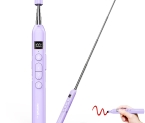 N21 BLE Wireless Presenter
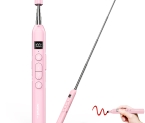 N21 BLE Wireless Presenter
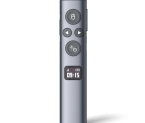 N95s BLE Wireless Presenter
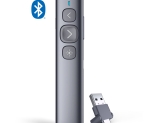 N95 Plus BLE Wireless Presenter
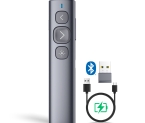 N95 BLE Wireless Presenter
 N20 BLE Wireless Presenter
 N10s Pro Wireless Presenter
 N99s Wireless Presenter
 N99 Black Wireless Presenter